How To Upgrade Your Analog CCTV System On A Budget Without Rewiring?
When Your Security System No Longer Cuts It
Want to check your property from anywhere with your phone without replacing your analog CCTV system? Are you tired of flickering and blurry security cameras? Are you still struggling with an old DVR? Let me show you a very easy way to solve all these problems. No expensive rewiring in the wall, and no complex technical requirements. It is a sample way to connect to a new era!
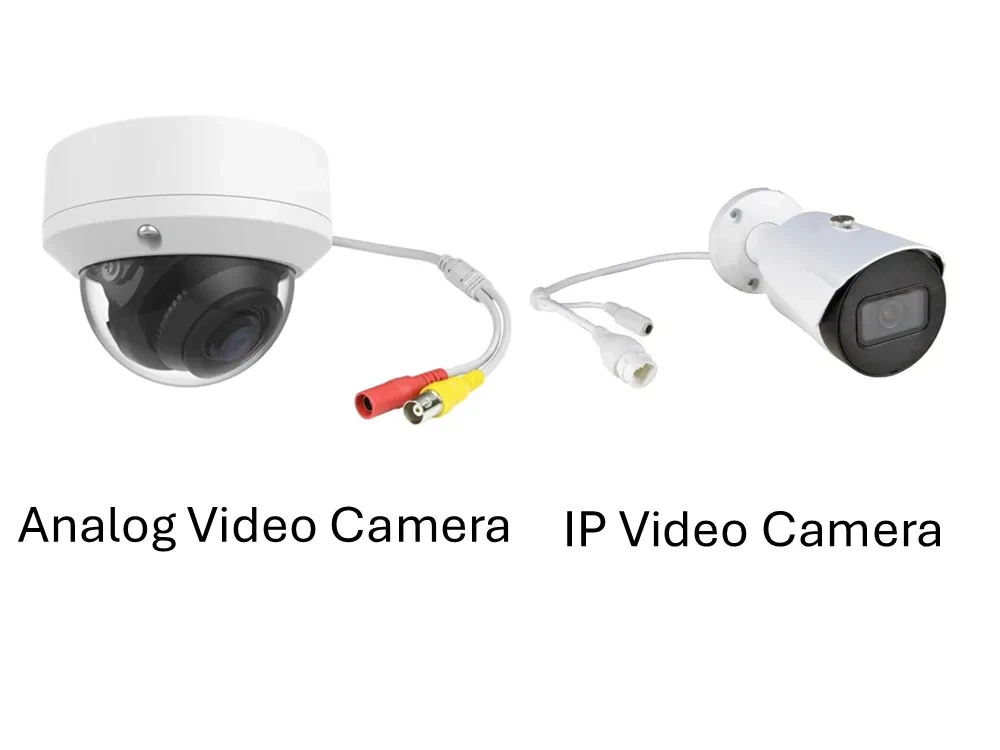
Legacy BNC CCTV vs. Next-Gen IP/PoE: Understanding the Tech Gap
Before we start, I want to compare analog security systems and IP security systems to show you the advantages and disadvantages.
| Analog Camera System | IP Camera System | |
| Resolution | 1080p (1920*1080 @ 30fps) | 4K (3840*2160 @ 60fps) |
| Wire | Coaxial cable + power cable | Ethernet Cable (PoE) |
| Remote Access & Connectivity | Complex router setting and apps | Easy cloud connection and fast apps |
| Hardware | DVR | NVR / Network Switches |
Using an IP camera system is always the best choice. First, you can have very clear footage compared with an analog system. Second, you can use one cheap ethernet cable only to solve both video signal and power supply at the same time. What’s more, you can save the surveillance footage directly to a hard drive or the cloud instead of a DVR.
However, if you are using an analog security system right now, things are a little different. Those old coaxial cables may be hidden in the wall, or in some places that are hard to replace. Dozens of cameras with coaxial cables and power cables are everywhere-in the walls, on the roof, or under the ground. It will be a big project! Between high contractor fees, hardware costs, and forced downtime, taking that first step toward a full upgrade feels like an expensive nightmare.
Does this mean you’re stuck with a fading, high-maintenance system that forces you to sit in a dark backroom just to check your footage? Is your only option to let those bloated maintenance fees bleed your budget dry? Absolutely not. As a smart, cost-conscious business owner, your goal should be asset maximization-squeezing every ounce of value out of your existing equipment before spending a dime on new construction. The real question is: How do we breathe new life into your current hardware?
Budget-Friendly Retrofitting: Migrating Your Legacy CCTV System to IP
To convert your raw analog signals into crisp, digital IP streams without throwing away your existing cameras or ripping out pre-installed wiring, you need a specialized hardware device known as a Video Encoder.
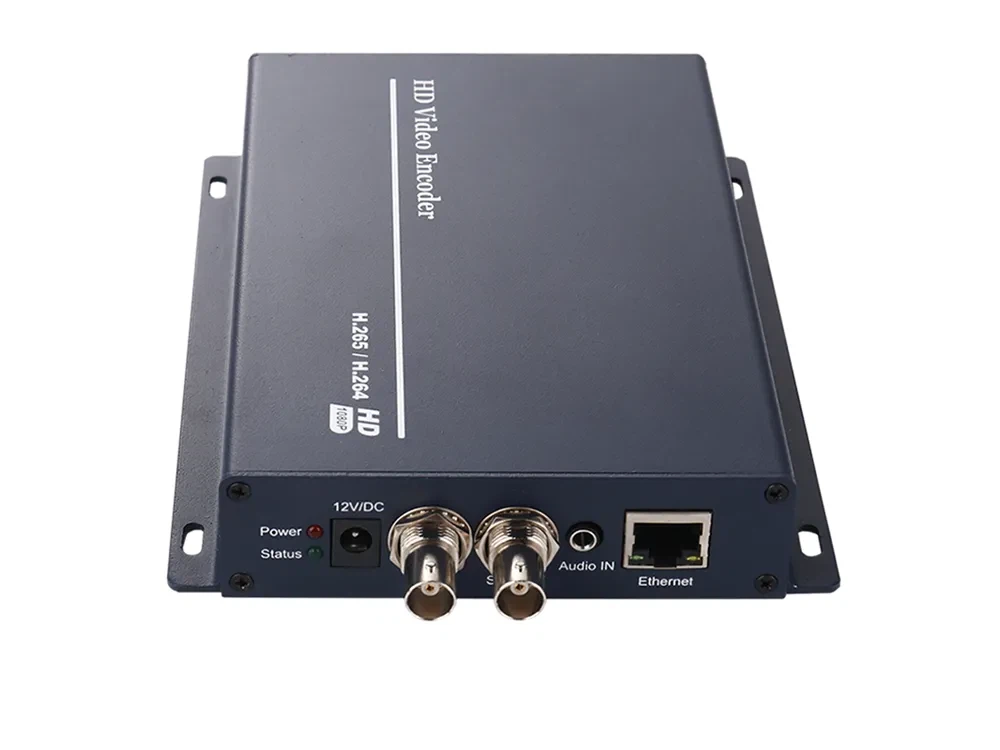
A commercial-grade video encoder acts as the universal translator for your old system. It supports raw legacy feeds, including Analog Video Formats And Interfaces. (Not sure what type of signal your cameras output? Just snap a quick photo of your equipment and send it to our tech support team-we’ll give you the exact answer in less than 5 seconds!).
Once the signal is received, the encoder leverages high-efficiency H.264 or H.265 (HEVC) technology to compress the raw footage into highly optimized digital data packets, which are then sent instantly through a standard RJ45 Ethernet port. From there, your surveillance possibilities become virtually limitless.
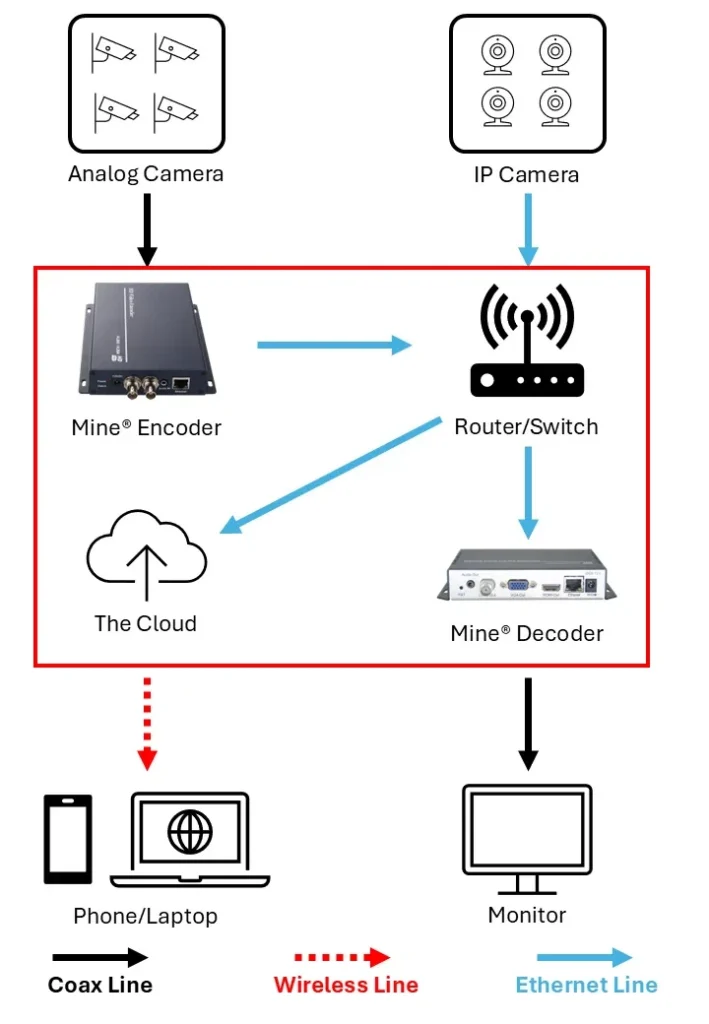
Direct Cloud Streaming: The digitized video packets can bypass local storage entirely and stream directly to cloud platforms like Eagle Eye Networks, Camcloud, or Videoloft. This gives you secure, low-latency live broadcasting that you can access remotely via your smartphone, tablet, or laptop from anywhere in the world.
Local Real-Time Display: If you still require a physical security desk setup, the IP streams can be sent to a hardware Video Decoder to show the digital packets onto a display wall with zero lag.
Below is the comprehensive network topology mapping out this budget-friendly digital migration:
Pre-Deployment Checklist: What to Evaluate Before the Upgrade Begins
1. Inspect Cable Integrity and Connection Quality
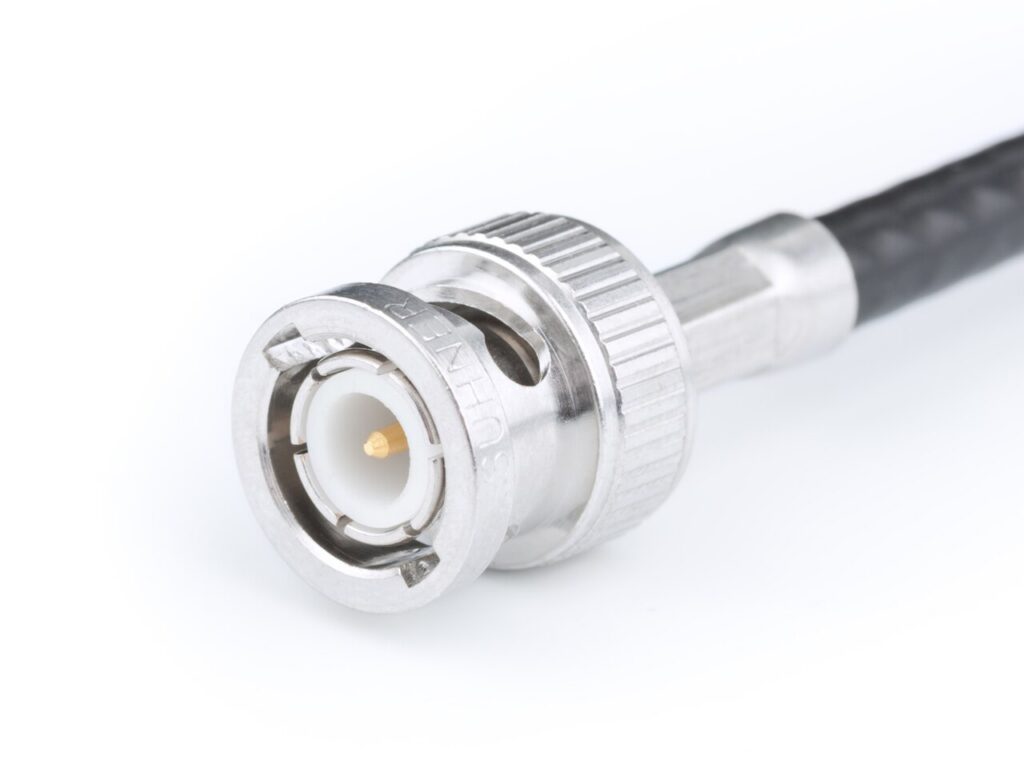
Before deploying any new hardware, your very first step must be a thorough audit of your old cables. You need to verify that your existing coaxial cables are still good enough for work, ensuring they are free from internal damage, frayed shielding, or water leaks. Additionally, inspect all BNC connectors for rust, corrosion, or physical damage. Taking the time to perform these simple, pre-installation checks guarantees you won’t have to hunt down hidden, hard-to-diagnose signal noise, pixelation, or intermittent connection drops down the road.
2. Align Video Compression Standards with Network Capacity
When sourcing a video encoder, matching the physical BNC or other interfaces with your legacy cameras is only half the battle; selecting the right video compression format is important. Your engineering team must weigh the options: do you deploy legacy H.264, which offers widespread compatibility with older platforms, or do you adopt H.265 (HEVC), the next-gen standard that delivers vastly superior compression while cutting your network bandwidth and storage space? The consensus among network architects is clear: if your backend VMS (Video Management System) or cloud platform supports H.265, pulling the trigger on this advanced codec is a no-brainer. It is, without a doubt, the superior choice for future-proofing your facility.
| H.264 (Advanced Video Coding) | H.265 (High Efficiency Video Coding) | |
| Industry Standing | The legacy global standard (Launched 2003). Ultra-compatible but aging. | The modern premium standard (Launched 2013). Highly efficient and future-proof. |
| Compression Efficiency | Baseline compression performance. | Up to 50% more efficient than H.264 at identical visual quality. |
| Bandwidth Occupancy | High. Tends to choke local corporate networks or burn public cloud data. | Substantially Lower. Cuts bitrates in half, ensuring smooth streaming over standard networks. |
| Storage Cost | Consumes massive hard drive space quickly, forcing early FIFO loop overwrites. | Slashes storage costs by 50%. Doubles your data retention window on the exact same hard drives. |
| Max Resolution Focus | Optimized for 1080P Full HD; struggles heavily under the massive data loads of 4K. | Natively engineered for 4K Ultra HD, 8K, and high-frame-rate (60fps) workflows. |
| Decoding CPU Load | Extremely low. Almost any modern phone, laptop, or legacy VMS can decode it natively. | High. Requires modern hardware acceleration chips or a dedicated Hardware Video Decoder. |
| Cloud VMS Compatibility | 100% universal support across all legacy platforms and old apps. | Fully adopted by leading enterprise cloud systems (e.g., Eagle Eye Networks). |
3. Integrate Audio Feeds into Your Network Architecture
If your legacy security cameras include dedicated audio monitoring lines, sourcing an audio-enabled video encoder is absolutely important. In this deployment, your physical video and audio signals are plugged through their respective localized input ports on the encoder. The hardware then digitizes, compresses, and perfectly syncs both feeds into a single unified IP stream sent over the network. This eliminates the headache of managing separate, messy cables, delivering a streamlined, centralized management experience for your security team.
4. Stop the Cable Mess: Use Rackmount Multichannel Encoders
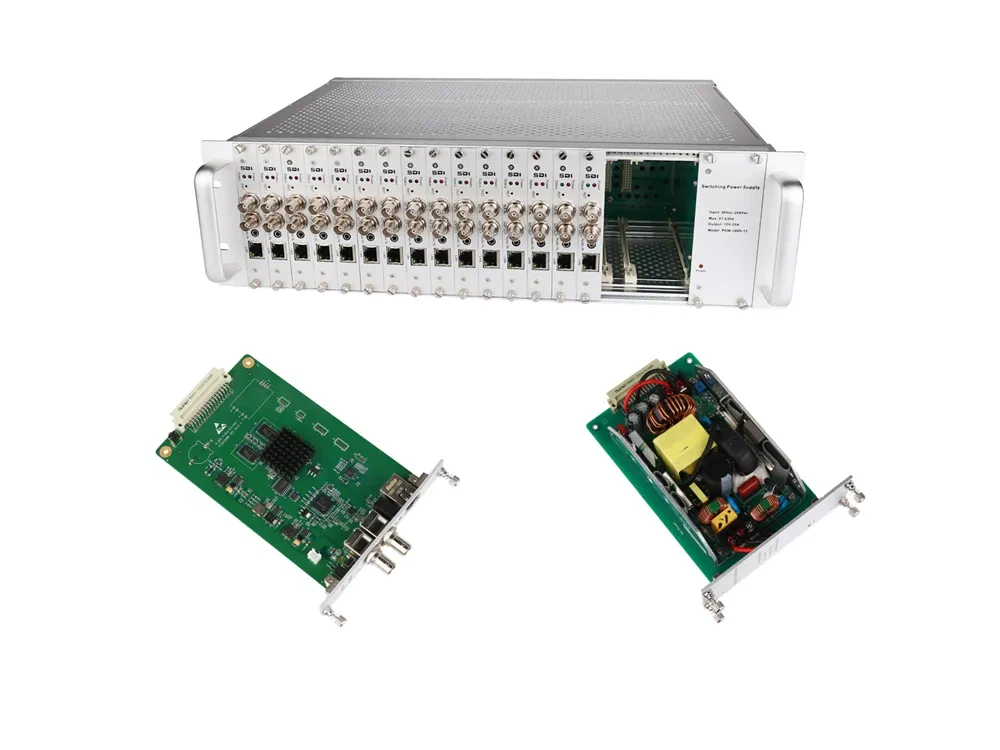
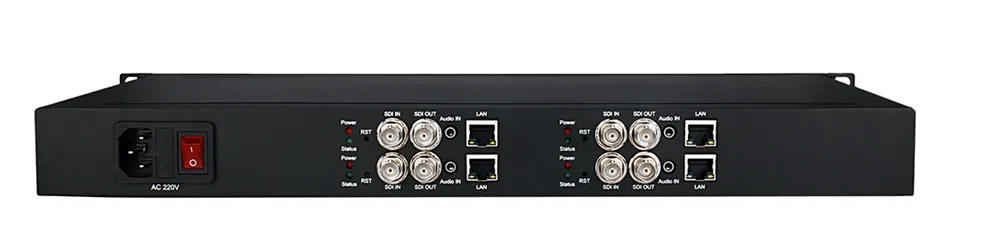
If you have many cameras, you will need multiple encoders. But dumping them in a messy pile on the floor is a bad idea. Don’t worry, hardware manufacturers have already solved this. You can choose Rackmount Encoders. They let you add as many camera lines as you want easily. Plus, they perfectly fit into standard international server racks. Another great choice is the 1U-height Integrated Multi-Channel Encoder. This is a slim 1U box that already has multiple encoders and power supplies built inside. You just plug in one power cord, and it is ready to go. It keeps your server room clean, neat, and super easy to manage.
Have questions about your project?
Contact our tech specialists now to get the answers you need! Whether you run a hotel, manage a warehouse, or retrofit legacy wiring for other clients, we can help. Reach out now to get your FREE setup plan and detailed datasheets. Let’s talk!